Turn In Work For Activity Step
- Click on the "Evidence Required" button to enable it for the activity step.
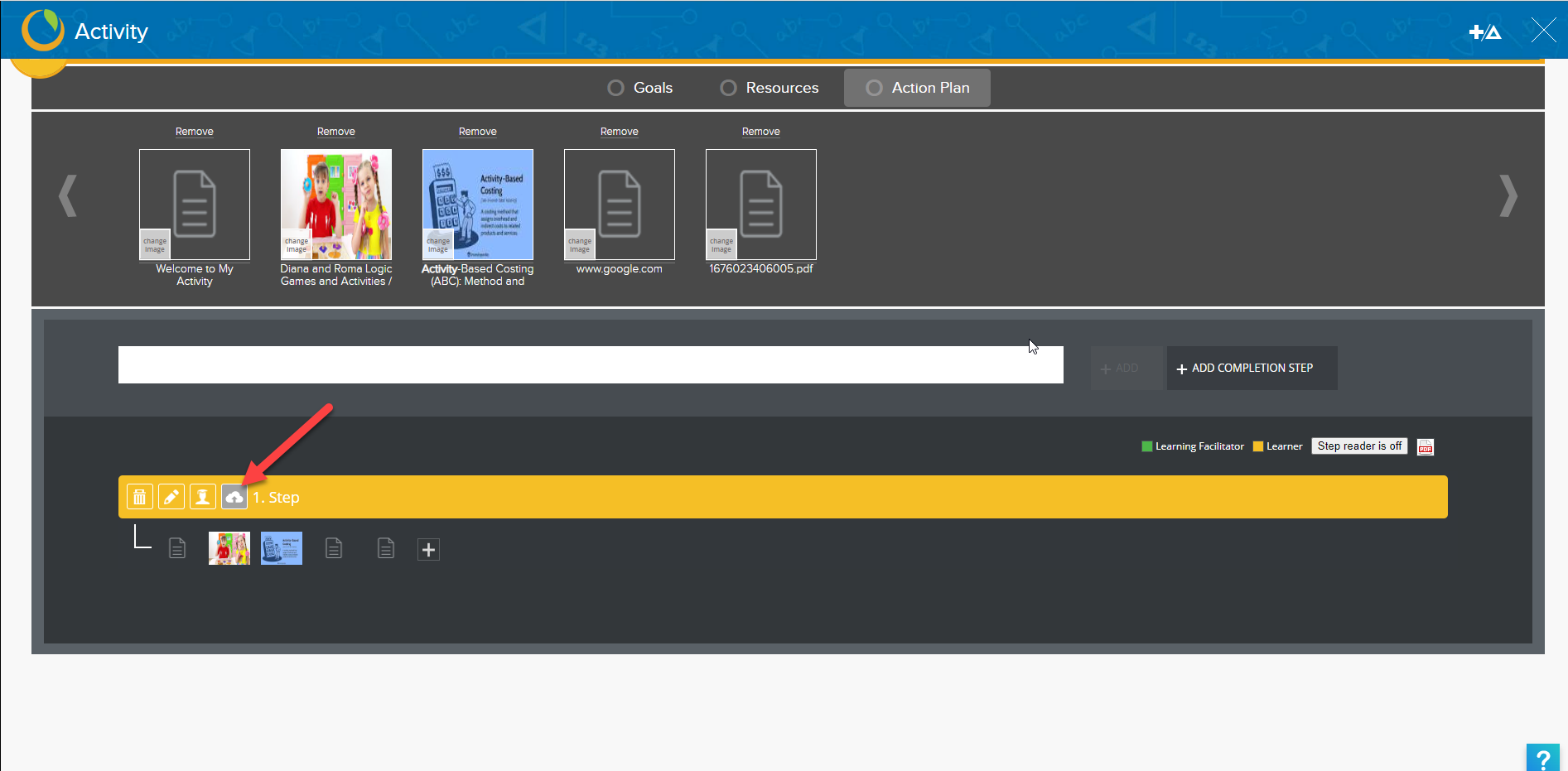
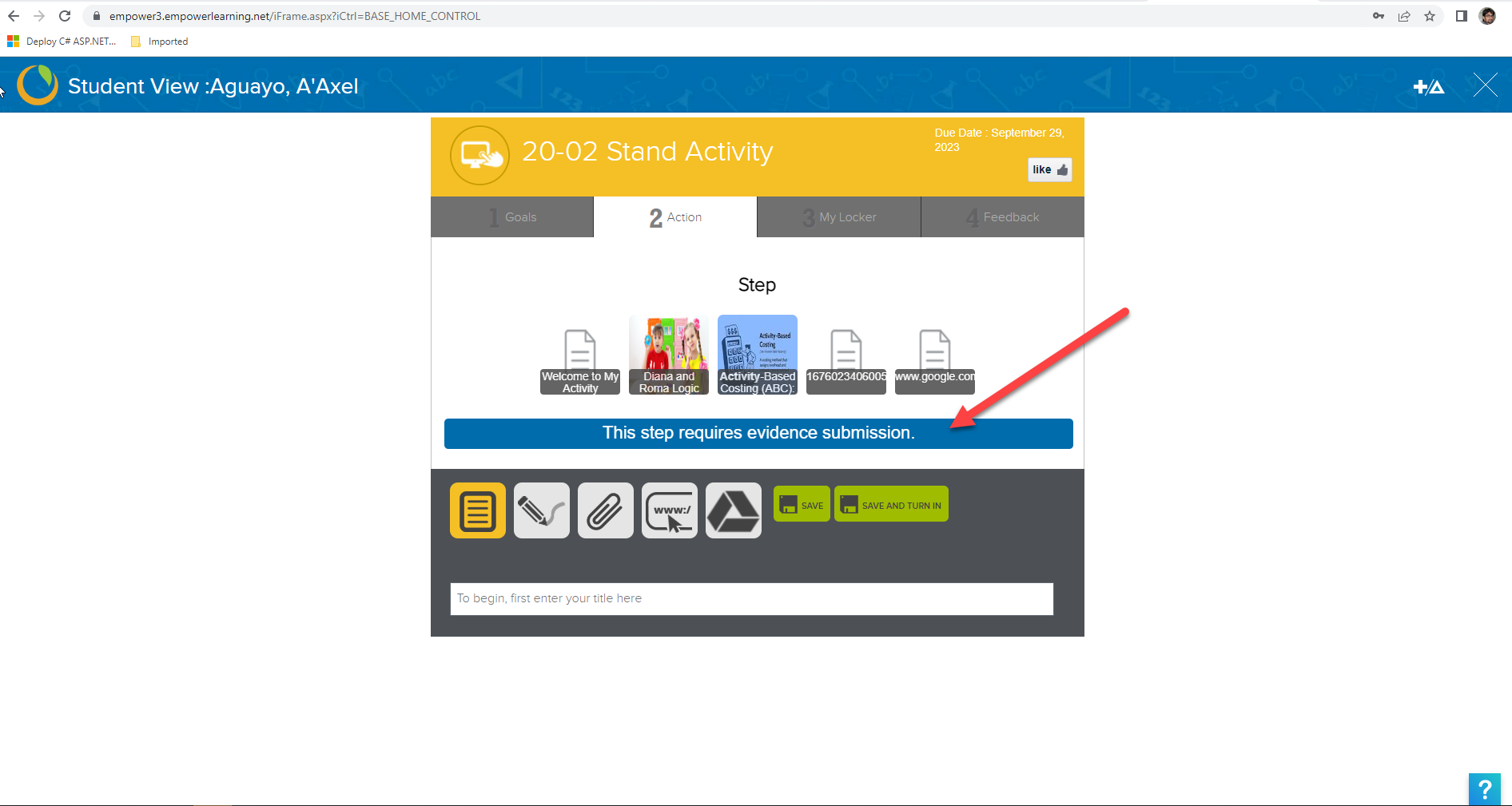
- Student can see if step requires the evidence submission. The evidence will be automatically attached with the work if student has selected the step while they were creating and saving the work. See below screenshot.
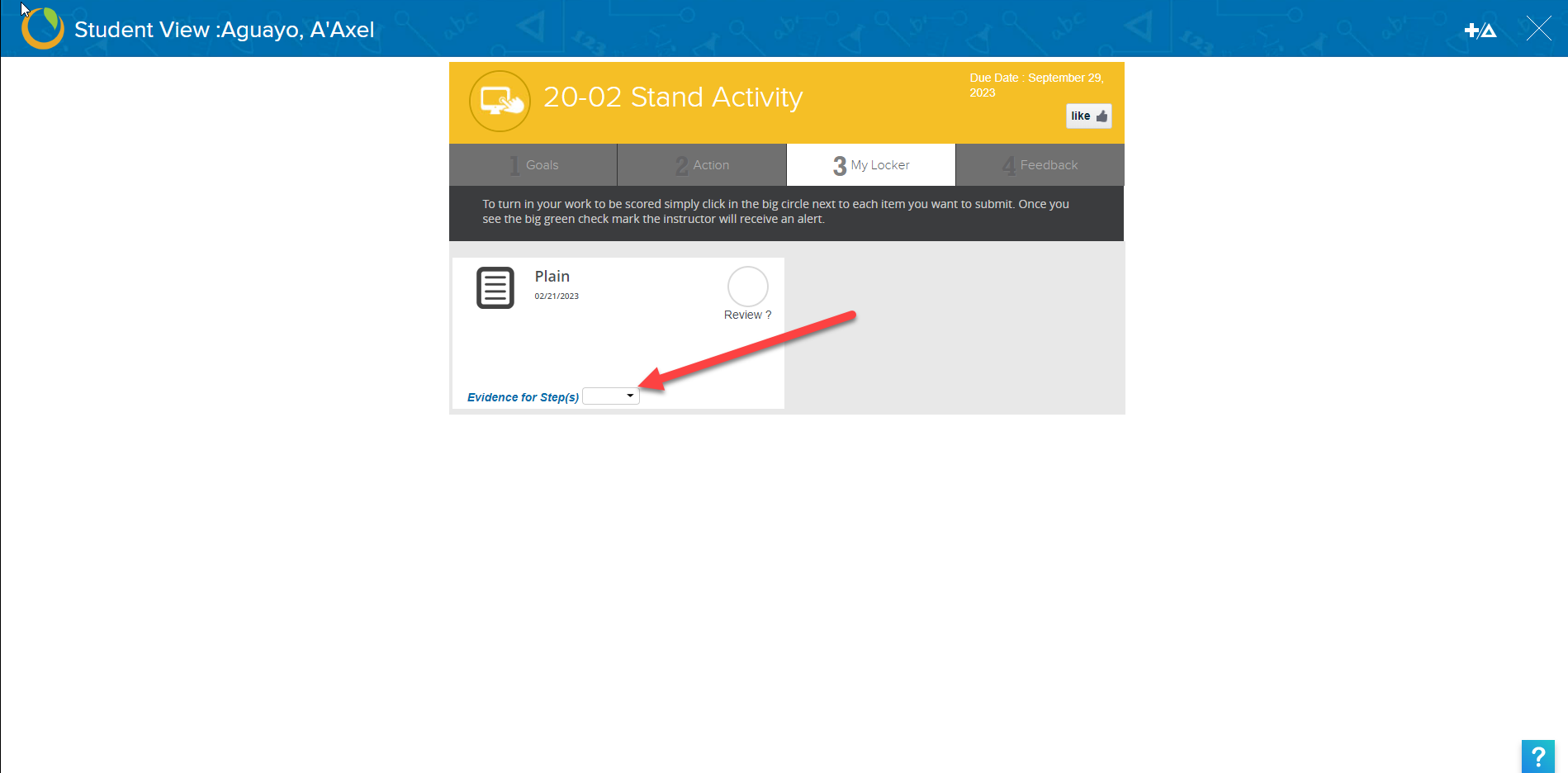
- Student can change the step number or can remove the step or can add the step from the locker tab too. See below screenshot.
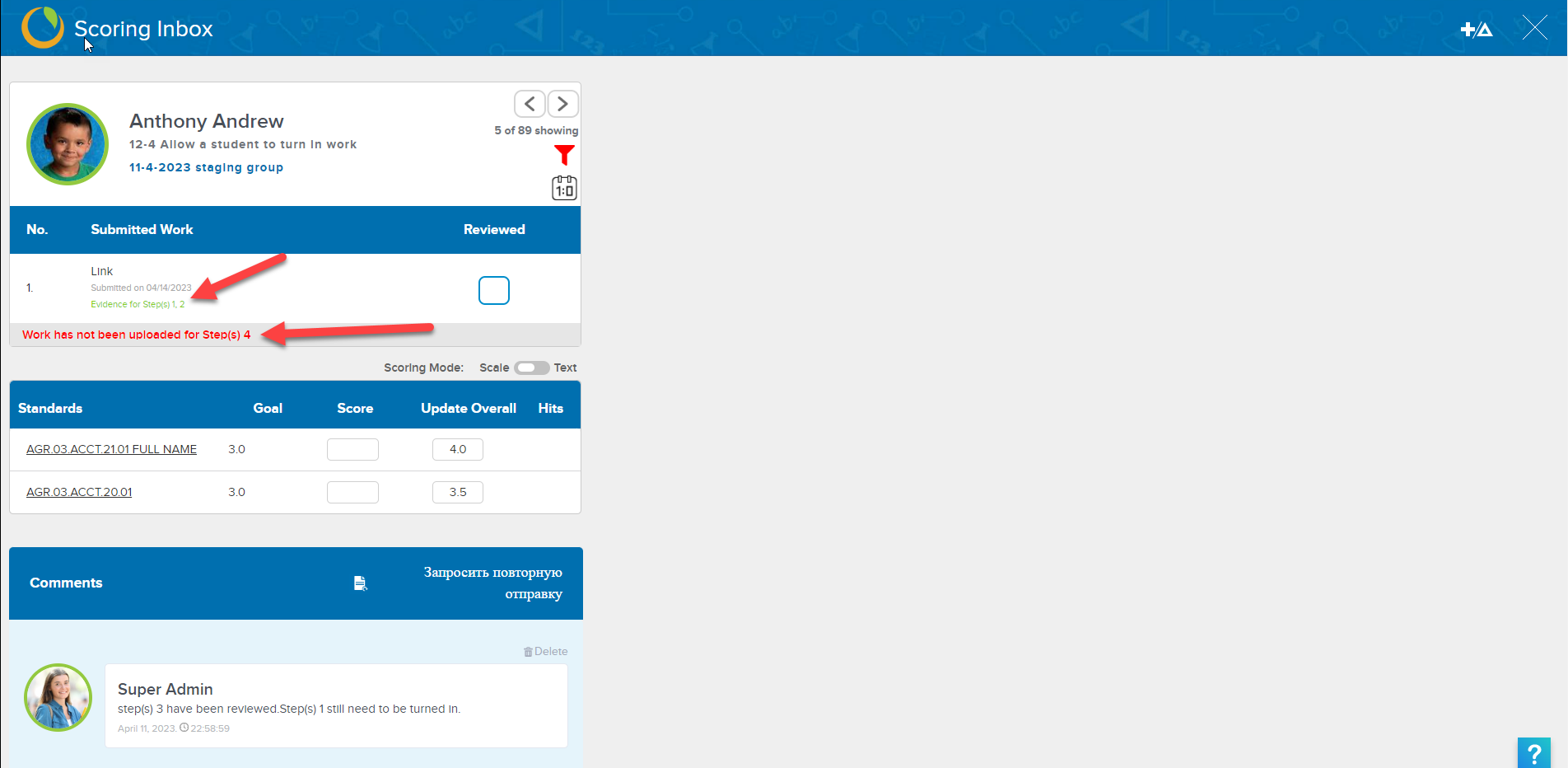
- At the teacher side, teacher can see which step still has not submitted with the work by student and which steps are submitted. See below screen shot.
Related Articles
Turn In Work For Activity Step
Click on the "Evidence Required" button to enable it for the activity step. Student can see if step requires the evidence submission. The evidence will be automatically attached with the work if student has selected the step while they were creating ...
Instruction: Playlists, Activities, Quizzes, Grouping, Collaborating
Instruction A unit, a pathway, a module. A playlist by any other name would still be a set of organized learning experiences in Empower. Playlists can help organize your instruction for your own purposes, for delivery to students and they get pretty ...
Learner-Created Activities workflow
When learners create their own activities to submit to teachers in order to add to their own body of evidence for a proficiency scale (or scales), there is a workflow necessary to understand what is happening and how it happens. First, students will ...
Learner-Created Activities workflow
When learners create their own activities to submit to teachers in order to add to their own body of evidence for a proficiency scale (or scales), there is a workflow necessary to understand what is happening and how it happens. First, students will ...
My Workspace
My Workspace My Workspace is designed as an organizational tool for teachers to put all the activities and playlists they want to (or might want to) use all into one place, so they don't have to continually use the search function. The My Workspace ...